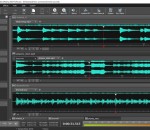
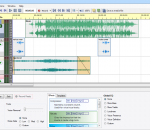
WavePad Masters Edition is audio editing software for Windows. This program lets you make and edit voice, music and other audio recordings. You can cut, copy and paste parts of recording and, if required, add effects like echo, amplification and noise reduction. WavePad Masters Edition can help you create and edit professional sounding audio files for many uses.
Melody player is a little program for displaying and playing music files created with Harmony or Melody Assistant, as well as Midi, ABC, MOD, S3M, MusicXML (XML / MXL) files. Melody player includes its own softsynth and digital sound database, so it doesn't need any Midi card or interface. Melody player is freeware.
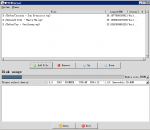
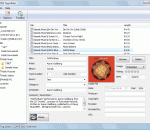
Stamp ID3 tag editor allows you to edit or add file information such as genre, title, artist, album, year, track number to audio files like .mp3's, .wav's and .ogg's. Just add the files you want to edit to the list, enter the new information, and then click the stamp button.
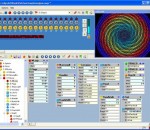
MAGIX Digital DJ turns your computer into a high-end DJ system! Whether you're a DJ novice or a pro, this professional DJ software includes everything a DJ needs: virtual mixing desk, automix function, precise beat recognition and a preview function. Simply add songs directly from your iTunes® library or your hard drive to the DJ set and turn every party into an unforgettable event!
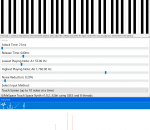
This program was created to make playing music on a computer more intuitive and affordable for anyone who wants to make music. It offers the most natural way to make music by simply using your touch screen or your hand in front of the web cam. You can also use your mouse. Creating your favourite instrument is also very easy: you need a couple of seconds of the sound that your instrument will make and import it as WAV file.
MO3 is a file format, encapsulating the features of several "MOD" formats (IT, XM, S3M, MTM, MOD, MPTM), but with one big difference: MP3 and OGG compressed samples. A lossless codec is also incorporated for any samples that don't like lossy encoding, and the whole file structure is compressed too. All of this makes it possible to have great reductions in file sizes with practically identical sound quality.
AthTek Skype Recorder is widely used by Skype users at home and office. It has been awarded as THE MOST NEEDED ADD-ON FOR SKYPE. It supports to automatically record Skype call in high quality audio and video files. The recordings can be saved as MP3, WMA, OGG, FLAC and AVI file formats. As the most advanced call recorder software for Skype, AthTek Skype Recorder supports to run in hidden mode and auto upload recordings with SFTP connection.
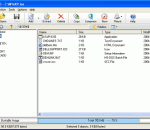
PowerISO is a powerful CD/DVD/BD image file processing tool, which allows you to open, extract, create, edit, compress, encrypt, split and convert ISO files, and mount these files with internal virtual drive. It can process almost all CD/DVD/BD image files including ISO and BIN. PowerISO can be used easily, which support shell integration, context menu, drag and drop, clipboard copy paste.
Advanced visual audio editor and converter solution, which supports many powerful operations. You can perform two-way conversions among CD, MP3, WAV, WMA, and OGG. It can also open, create, save, play, and record audio data; cut; copy; delete; delete silence; paste; mix; amplify; delay; echo, fade in/out; invert; normalize; reverse; silence; shrink, stretch; and filter. WAV, MP3, MP2, OGG, WMA, AAC, AC3, FLAC, RAW, and CD tracks are supported.
ABSYNTH 5 is an exceptional synthesizer with unique sonic potential. Its speciality is a limitless spectrum of unusual, evolving sounds created using the powerful, hybrid synthesis architecture and sophisticated modulation and effect system - resulting in sounds far removed from the everyday. What's more ABSYNTH 5 is not just a synthesizer, but a powerful effect plug-in for treating audio tracks using the unique ABSYNTH 5 effects bank.
HOLMImpulse x64 is an application which demonstrates how can you make measurements using any soundcard and a microphone. Download the file and save it a folder of your choosing. To open the data in HOLMImpulse go to the file menu and select "Open Measurements". Navigate to the folder containing the HOLMImpulseMeasurements.hlm file and select it.