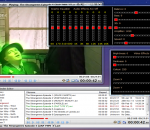
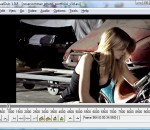
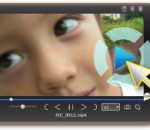
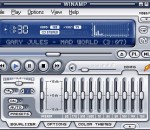
A powerful and quirky media player, full of interesting and useful features that you probably won't find anywhere else, and expanding all the time. I created Hypercube because I just couldn't find a media player out there that did all the things that I wanted it to and now I use nothing else, simply adding new features when the need arises. Written for the sheer pleasure of creating something useful with bags of character.
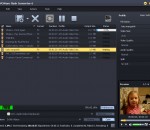
Video File Converter - a simple user friendly program for converting any video files in various formats such as MP3, MP4, AVI, OGG and many others. In adition to the above, Video File Converter can glue together the video files, crop varios timeline fragments and add different media effects. The program Video File Converter can change the speed of video playback (create slow/fast motion end videos). The program has a very nice user interface.
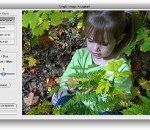
This software offers a solution to users who want to remove unwanted details from images. The user loads an image, chooses the selection shape (polygon or box), adjusts the block size and scan border, using the sliders, and then selects the object for removal. When the 'Start Removing' button is clicked, the software will try to fill in the selected area based on the color of the surrounding pixels.
VirtualDub is a video capture/processing utility for 32-bit and 64-bit Windows platforms (98/ME/NT4/2000/XP/Vista/7), licensed under the GNU General Public License (GPL). It lacks the editing power of a general-purpose editor such as Adobe Premiere, but is streamlined for fast linear operations over video.
Avanti GUI is a free front-end for FFmpeg with the option to insert Avisynth as pre-processor. It can be used with almost all Windows OS builds of FFmpeg. It offers user friendly control over all basic and advanced FFmpeg options. A number of template examples are included. No need to be familiar with Avisynth to use the predefined Avanti/Avisynth pre-processor options. Avanti doesn't installs itself and runs from any arbitrary folder.
Desktop movie is a simple application to play movie files on your desktop. The player projects the movie to the background replacing your background image temporarily. The player is based on directshow meaning every movie you can play with a directshow player can be played with desktop movie too. At start you can choose your movie and the palyer starts. A tray icon can be found on the tray bar during the playing process.
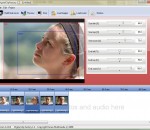
The Digital Clip Factory creates slide shows using the "Zoom and Pan" motion effects with, music and transitions. Burn your movies to DVD or publish them to the web.“Pictures say more…†True, if you use our Digital Clip Factory application to create those "Zoom and Pan" effects you like and export it to a compatilbe Windows Media File. Our Digital Clip Factory application is freeware / donationware.
Super LoiLoScope is a software where you can edit and share your videos freely. Being the worlds first video editing software that eliminates waiting time during editing, you can add text, images, music, and add effects while your video is playing. In addition, the software's interface is very easy-to-use so that even first time users will be able to edit their files like professionals.
DVB Dream is DVB player with many nice and unique features (more below), it supports standards DVB-S, DVB-C, DVB-T (more below). Features: - Multi PIP (19+1) - Multi recording (MPG, TS) - Timeshift - LAN Streaming - Unique channel list system - Favorite channels - Quick Favorites - Child lock - Embedded aspect ratio modes - Cropping / Zoom - Sleep timer DVB Dream for Windows 8 - Post your review
Add streaming video to your website in just minutes! This desktop software will generate the HTML codes requried including different codes for different situations and comes with professional grade web video players with H.264 support. The players are customizable with a lot of behaviour control like auto play, looped play, clickable video, custom video player size. Supports both FLVs and MP4s.
Multi-stream live to few services (Twitch, Facebook, YouTube, Mixxer, etc.) at the same time with lowest possible system load. Lower the system load even more when using our FREE RESTREAM option which can optionally be enabled in SplitCam, free connection with one of our restreaming servers located in US and Europe. Game caster, screenshare, browser, ip camera , webcam, video files, images, video effects, all this you can add to your stream.
GOM Media Player el reproductor sólo necesita - gratis! No sólo es GOM Media Player un reproductor de vídeo totalmente gratuito, con su soporte incorporado para el vídeo más popular y formatos de Media Player, toneladas de características avanzadas, personalización extrema, y el servicio de buscador de codecs, GOM Media Player es seguro satisfacer todas sus necesidades de reproducción. Con millones de usuarios en cientos de países, GOM Media Player es uno de los reproductores de vídeo más populares del mundo. Cuál es nuevo: Característica añadida "toque"configuración para dispositivos de pantalla táctil. Agregada función "Buscador" en lista de reproducción. (Ctrl + F) Admiten "HTTPS URL" para youtube o reproducción de radio red. (Ctrl + U) Añadido "Música Pulse" preferencias relacionadas a reproducir archivos de música. Mejorar el rendimiento relacionada con la "velocidad de agregar y borrar" archivos en lista de reproducción. Otras diversas correcciones, correcciones y cambios
RealPlayer siempre ha permitido reproducir RealAudio (*. ra) y RealMedia (* .ram) archivos. Descargar vídeos de miles de sitios Web con un solo clic construir su propia biblioteca de vídeos y listas de reproducción jugar todos los principales de audio y formatos de vídeo Flash Video soporte DVD, SVCD, VCD quema y video grabación RealPlayer para uso personal incluye audio CD burning capacidades, búsqueda de almacenamiento en búfer de multimedia de reproducción DVR-estilo, radio por Internet, una biblioteca de archivos de estilo de jukebox, un navegador web incorporado (utilizando Microsoft Internet Explorer)y la capacidad de transferir medios a varios dispositivos portátiles, incluyendo iPod de Apple, reproductores MP3 y dispositivos de Windows Media.
GOM es un reproductor multimedia gratis con audio populares & códecs de vídeo incorporado. Codec Finder GOM Player incluye muchos codecs (XviD, DivX, FLV1, AC3, OGG, MP4, H263 y más) por lo que no necesitará instalar códecs separados para la mayoría de los videos. Para los vídeos que requieren un codec separado, GOM Player se encuentra uno. Jugar permite de tecnología patentada de archivos de AVI rotos (patentado) GOM Player usuarios para ver archivos con índices rotos o que aún están siendo descargados. Soportes de soporte de subtítulos GOM Player potentes SMI, SRT, RT, SUB (con IDX) archivos de subtítulos. Incluso puede sincronizar subtítulos y video si hay alguna coincidencia. Playlist conveniente si se ejecuta un archivo de vídeo y ya existe un archivo con un nombre similar en el directorio, que se añadirán automáticamente a tu lista de reproducción. GOM Player tiene un formato similar de la lista de reproducción M3U, PLS, ASX. Ayuda diferentes tipos de medios de comunicación en formato de diferentes medios de comunicación tales como AVI, MPEG y MPG, DAT, GOM Player también soporta streaming Windows media format (WMV, ASF, ASX). También puedes ver videos de calidad DVD con salida de audio de 5.1 canales.